Wordpress
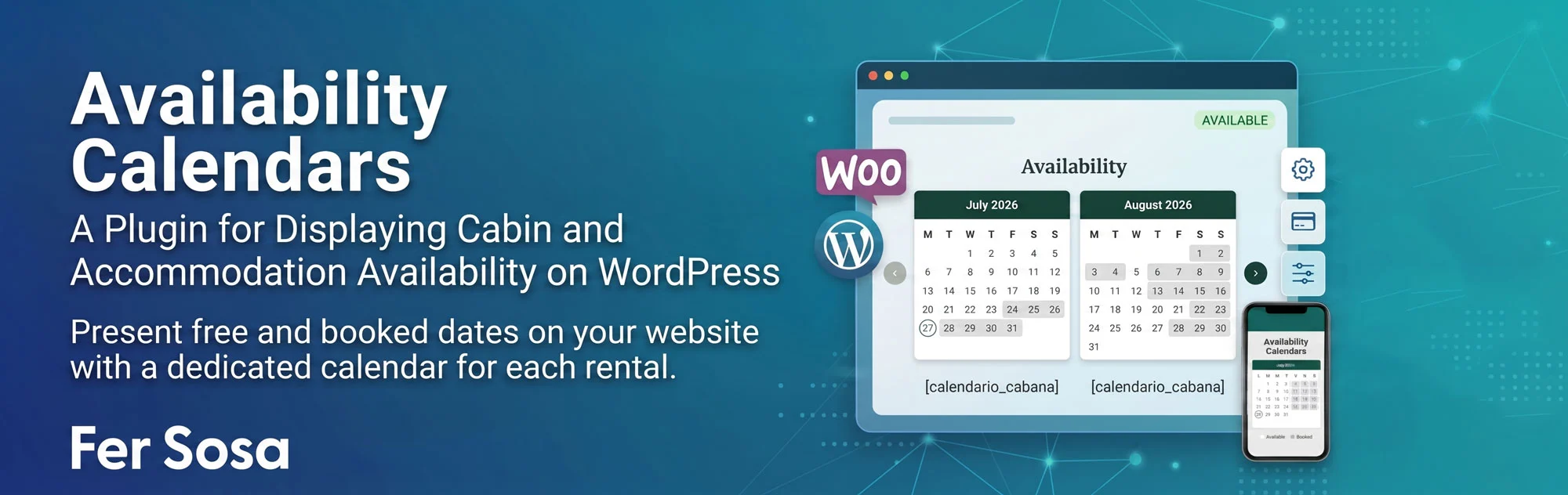
Availability Calendars
WordPress Plugin to Display Availability for Cabins and Vacation Rentals
Display on your website, in a clean and always up-to-date way, which dates are available and which are booked for each of your cabins, apartments, or vacation rentals, with a dedicated calendar for every property.
This plugin allows you to create as many availability calendars as you have accommodations (for example, “Cabin” and “Studio Apartment”), manage each property’s booked dates from a simple admin panel, and display them on the frontend using a dedicated shortcode for each accommodation. It’s the perfect solution for vacation rental websites, cabins, apartments, and other accommodations that need to show real-time availability without relying on outdated third-party calendars.
Main Features
- ✅ Unlimited calendars: Create one calendar for each accommodation (cabin, studio apartment, apartment, house, etc.), each completely independent from the others.
- ✅ Automatic shortcode for every calendar: When you save a calendar, the plugin automatically generates a shortcode based on its name, such as
[calendario_cabana]or[calendario_monoambiente], ready to paste anywhere on your site. - ✅ Easy booking management: Add booked date ranges (from / to) through a simple administration panel without writing any code.
- ✅ Fully customizable colors: Choose separate colors for available days, booked days, headers, and borders for each calendar so they perfectly match your website’s design.
- ✅ Month navigation without page reloads: Visitors can browse future months using navigation arrows (for example, viewing next February while currently in July), with no limit on how far ahead they can navigate.
- ✅ Mobile-friendly design: Looks great on smartphones, tablets, and desktops, automatically displaying one month at a time on smaller screens.
- ✅ Configurable number of displayed months: Choose how many months are shown by default in each calendar (from 1 to 12).
How It Works
Each accommodation has its own calendar inside the “Calendars” menu in the WordPress dashboard. There, you can enter the accommodation name, add booked dates, and customize its colors. The plugin automatically generates a shortcode using the calendar’s name, which you can place on any page, post, or page builder (Elementor, Gutenberg, etc.) to display the updated availability for that specific accommodation.
Configuration Options
Booked Dates
Add booked date ranges (check-in / check-out) for each accommodation using a simple table, with the option to include an internal note or reference for every booking period.
Calendar Colors
Customize the background and text colors for available days, booked days, calendar headers (month and year), and borders independently for each calendar.
Display Settings
Choose how many months are displayed by default and customize the legend labels (such as “Available” and “Booked”) to match your website’s language and style.
Shortcode per Calendar
Each calendar displays its own ready-to-copy shortcode on both the calendar edit screen and the main calendar list.
Screenshots
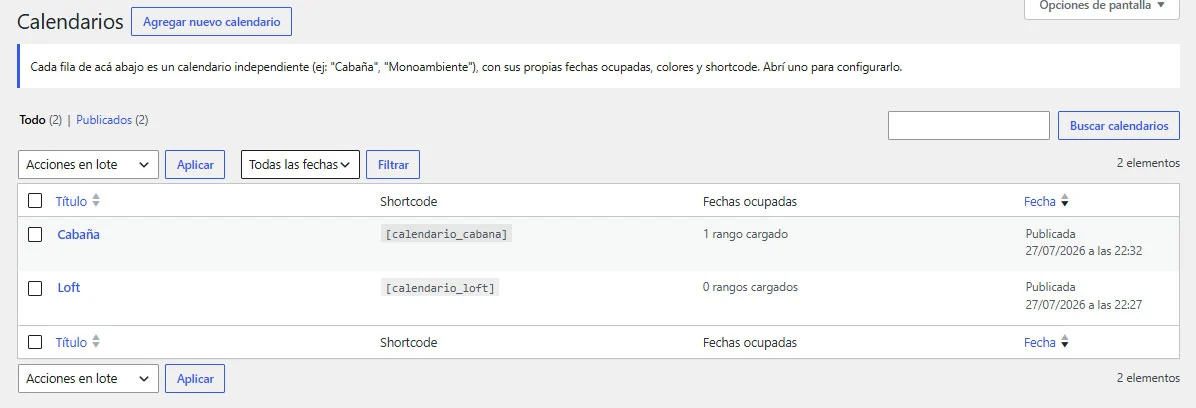
Overview of created calendars and where to create new ones.
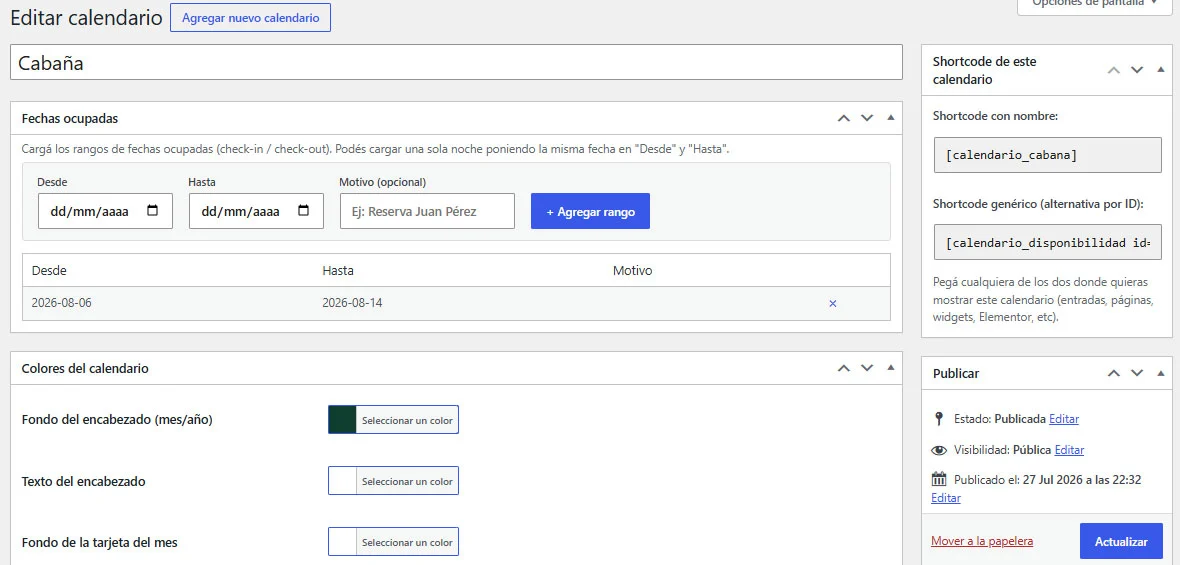
Calendar editing screen with booked dates, settings, and shortcode.
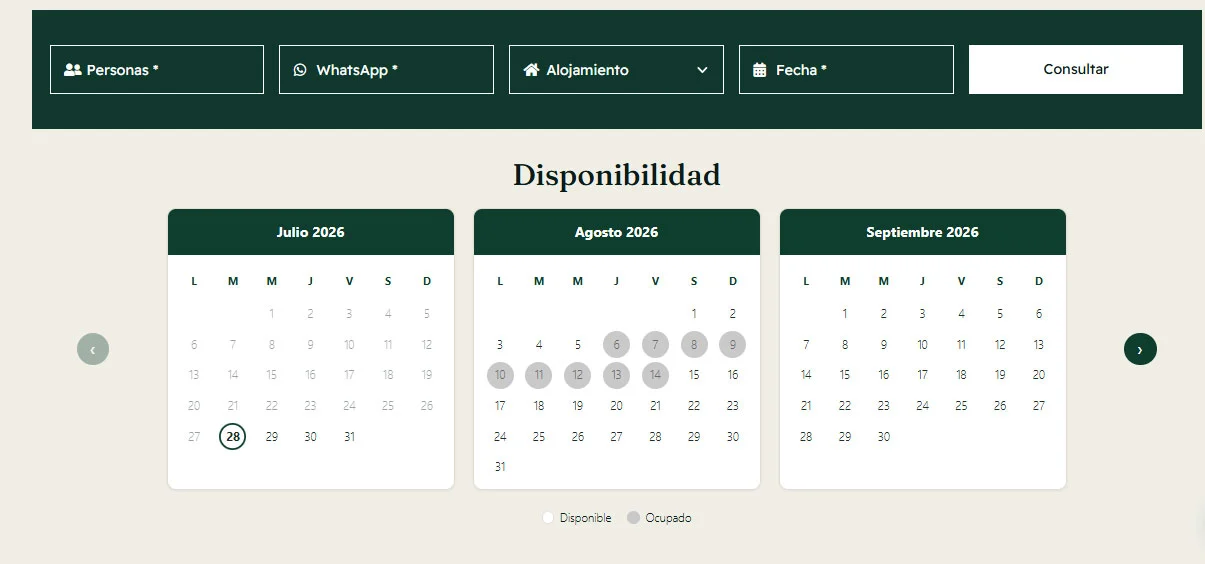
Frontend calendar display.
Compatibility
- ✔️ Compatible with any WordPress theme.
- ✔️ Works with pages, posts, widgets, and page builders such as Elementor and Gutenberg.
- ✔️ Does not require WooCommerce or any other plugins.
- ✔️ Requires WordPress 5.8 or later.
Support & Contact
If you have any questions or need additional support, you can contact us through fersosa.com. You can also leave comments and suggestions on our website.
Changelog
v1.0.0
- Initial release:
- Unlimited calendars, one for each accommodation.
- Automatic shortcode per calendar (e.g.
[calendario_cabana]) and generic shortcode by ID ([calendario_disponibilidad id="123"]). - Booked date ranges managed from the WordPress admin panel.
- Customizable colors for each calendar.
- Frontend month navigation without page reloads.
- Responsive design optimized for mobile devices.