WooCommerce,Wordpress
Auto Categories WooCommerce
Plugin to Automatically Assign Categories to Your WooCommerce Products
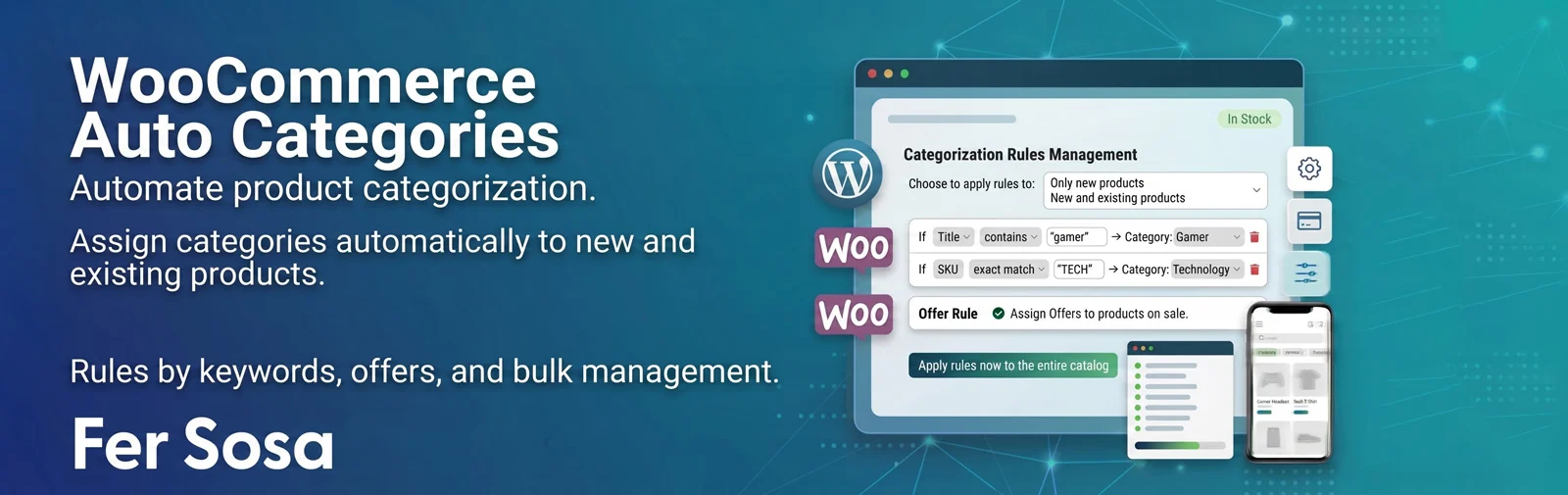
Save yourself the manual work of categorizing every product you upload to your store. Define simple rules —by keyword, on-sale status, and more— and let the plugin assign the correct category to each new product, without touching the ones you had already uploaded.
This plugin allows you to create rules such as “if the title contains router, assign it to the Networks & Routers category”, or “if the product has a sale price, assign it to Deals“, among many other combinations. You choose whether rules apply only to new products or also to those you edit later, and you can run them manually across your entire existing catalog whenever you want. Ideal for stores with large catalogs or those that frequently upload products and don’t want to waste time categorizing them one by one.
Key Features
- ✅ Keyword rules: define which word to search for (for example router, laptop, headset), in which product field to look (title, SKU, short or full description), and with what match type (contains, exact word, starts with, exact match).
- ✅ Unlimited categories per rule: each rule can assign one or multiple categories at once, selected with a simple search box without scrolling through endless lists.
- ✅ On-sale products rule: automatically assign a category (for example Deals) to any product that has an active discount price.
- ✅ Adds only, never deletes: the plugin only adds categories, it never removes the ones a product already had assigned manually or through other means.
- ✅ Apply to new products, or edited ones too: choose whether rules run only when uploading a new product, or also every time you edit an existing one.
- ✅ Apply now to the entire catalog: a button to run rules once across all already loaded products, batch-processed with a progress bar so it won’t stall on large catalogs.
- ✅ Automatic rule suggestions: the plugin analyzes the titles of your already categorized products, detects repeating words in each category, and suggests new rules with one click, along with real product examples.
- ✅ Saved rules in an easy-to-read list format: each rule is displayed in a clear line (“If Title contains ‘router’ → Networks & Routers”) with buttons to edit or delete, no long forms in sight.
- ✅ Unsaved changes warning: if you modified a rule and are about to leave the screen without saving, the plugin warns you before you lose your changes.
How It Works
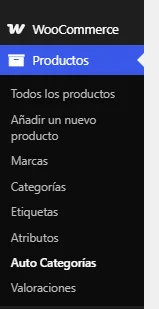
Once activated, the plugin adds an “Auto Categories” item inside the “Products” menu in the WordPress dashboard, next to Categories, Tags, and Attributes. There you build your rules, choose the automatic application mode, and run the catalog analysis or the apply-to-all button. Everything is saved with the “Save settings” button, always located at the bottom of the screen.
Screenshots
Settings & Options
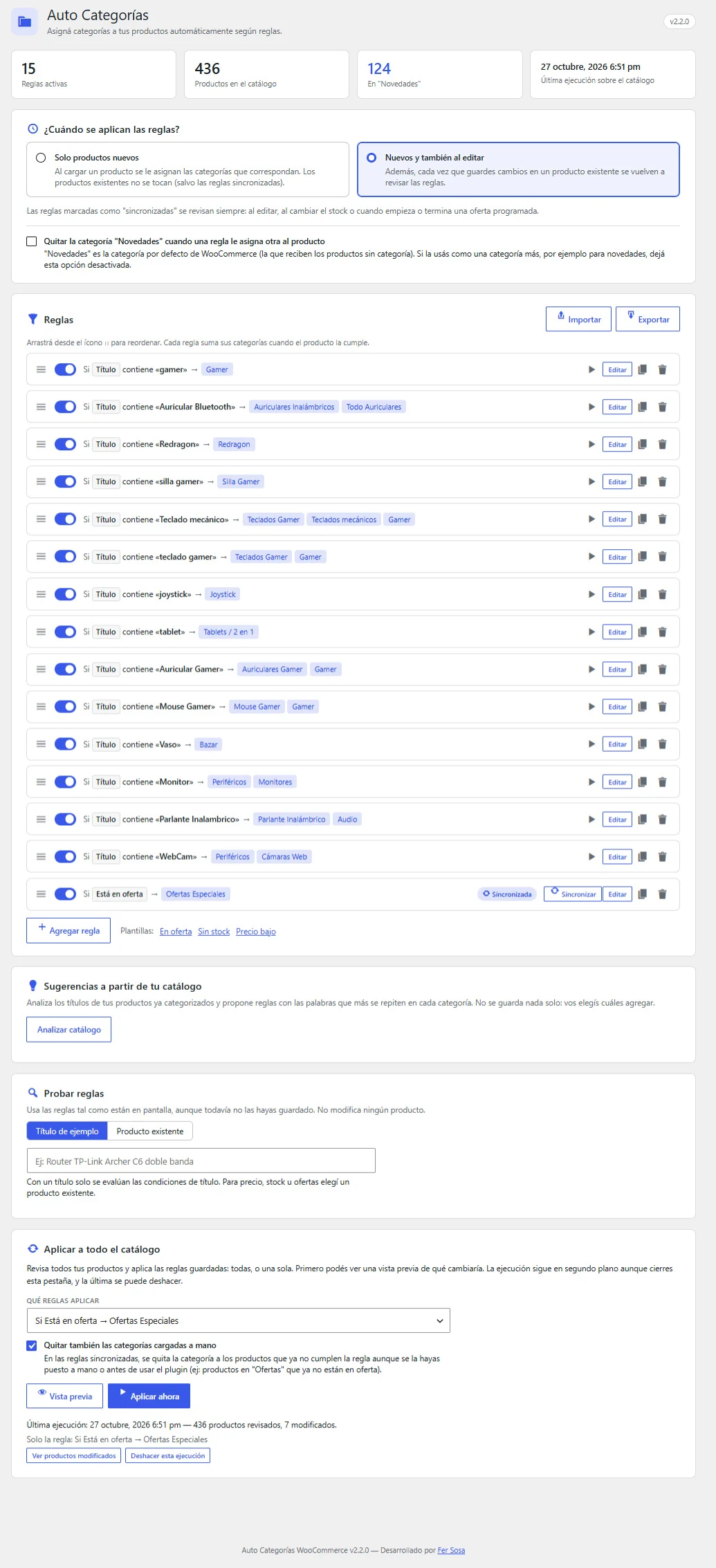
Automatic Application Mode
Choose whether rules apply only to new products (by default, to avoid touching existing ones) or also every time you edit an existing product.
Keyword Rules
Add as many rules as you need: keyword, target search field, match type, and categories to assign. Each rule is listed compactly with options to edit or delete at any time.
On-Sale Rule
Optionally enable automatic assignment of one or more categories to any product with an active sale price.
Catalog-Based Suggestions
A button that analyzes your already categorized products and proposes new rules based on repeating words in each category, complete with real examples so you can decide wisely before adding them.
Apply Rules Now to Entire Existing Catalog
Run saved rules across all already uploaded products whenever you want, independently of the automatic mode chosen above.
Compatibility
- ✔️ Requires active WooCommerce
- ✔️ Requires WordPress 5.8 or higher
- ✔️ Requires PHP 7.4 or higher
- ✔️ Doesn’t interfere with your store’s frontend: all the work happens inside the WordPress dashboard
Support & Contact
If you have any questions or need additional support, you can contact us at fersosa.com. You can also leave comments and suggestions on our website.
Changelog
v2.2.0
- Removing WooCommerce’s default category when a rule assigns another is now an option, disabled by default. Previously, this was always done, which removed products from the default category when used as a standard category (e.g., “New Arrivals”).
v2.1.0
- Apply a single rule to the catalog: “Which rules to apply” selector in the preview and execution steps. Other rules will not be applied. A disabled rule can still be run manually.
- “Sync” button on each synchronized rule (and “Apply only this rule” on the others) that opens its preview.
- “Also remove manually assigned categories” option for synchronized rules, with a notice in the preview showing how many products are left out without it.
- Undoing an execution with this option restores manual categories as manual.
v2.0.0
- Rules with multiple combinable conditions (all / any): text (title, SKU, descriptions, tags, attributes), sale status, price, stock, and product type.
- Multiple words per condition and exclusion conditions (“does not contain”).
- Synchronized rules: remove their categories when the product stops matching them (e.g., end of a sale), without ever touching manually assigned categories. Rechecked on stock changes, sales, and scheduled discounts.
- Enable / disable, duplicate, and reorder rules. Quick templates.
- Live rule tester (sample title or existing product) and affected product count per rule.
- Preview before applying to the catalog.
- Catalog execution runs in the background using Action Scheduler, can be canceled, displays remaining time, and can be undone.
- “Products modified by last execution” filter in the product list.
- Export and import rules in JSON.
- Suggestions: multi-selection, grouped by category, progress bar, and full catalog analysis (previously capped at 8,000 rows). Never suggests “Uncategorized”.
- Screen redesign: stats header, empty state, sticky save bar with unsaved changes alert, custom notices and dialogs (no browser alert/confirm), admin color scheme integration, and responsive design for small screens.
- Accessibility: keyboard-navigable search fields (arrow keys, Enter, Escape), field-associated labels, and visible focus indicators.
- Category search shows the full path (“Electronics › Accessories”).
- Save with redirect: refreshing the page no longer resubmits the form.
- Strings ready for translation, declared compatibility with HPOS and block checkout, and data cleanup upon uninstallation.
v1.5.0
- Fix: pressing Enter in a text field no longer saves the entire configuration. In the category search, it selects the first result; in a rule keyword field, it acts as “Done”.
- Rules added from suggestions now use “Exact match” instead of “Contains” (previously “net” could match “network” or “cabinet”).
- Rules are no longer accent-sensitive: “camara” and “cámara” are treated as identical (in both the engine and suggestions).
- If a rule assigns a category to a product originally in “Uncategorized”, that default category is automatically removed.
- “Run on existing catalog” is locked while there are unsaved changes, displaying a notice to ensure only visible screen rules are applied.
v1.4.0
- Settings screen layout: “Save settings” is now always the last button, below “Apply rules now to the entire existing catalog”.
- The “Apply rules now” section became part of the same form as the final step in the flow, seamlessly.
v1.3.0
- When adding a new rule, the screen automatically scrolls to the rule and focuses on the keyword field to make it clear it was added.
v1.2.0
- Fix: each plugin update now increments the version number so WordPress always serves the latest version of files instead of an old copy cached by the browser.
- Added diagnostic notices in the browser console to ease future troubleshooting.
v1.1.0
- The menu moved under “Products”, next to Categories, Tags, and Attributes.
- New: automatic rule suggestions based on the current catalog.
- New: “Settings” link in the plugin list.
- Developer credit added in the plugin list and on the settings screen.
v1.0.0
- Initial features:
- Keyword rules (title, SKU, description).
- On-sale products rule.
- “New only” or “new and edited” mode.
- Button to apply rules to the entire existing catalog.