WooCommerce
WhatsApp Orders for WooCommerce
Send your store cart directly to WhatsApp quickly and easily
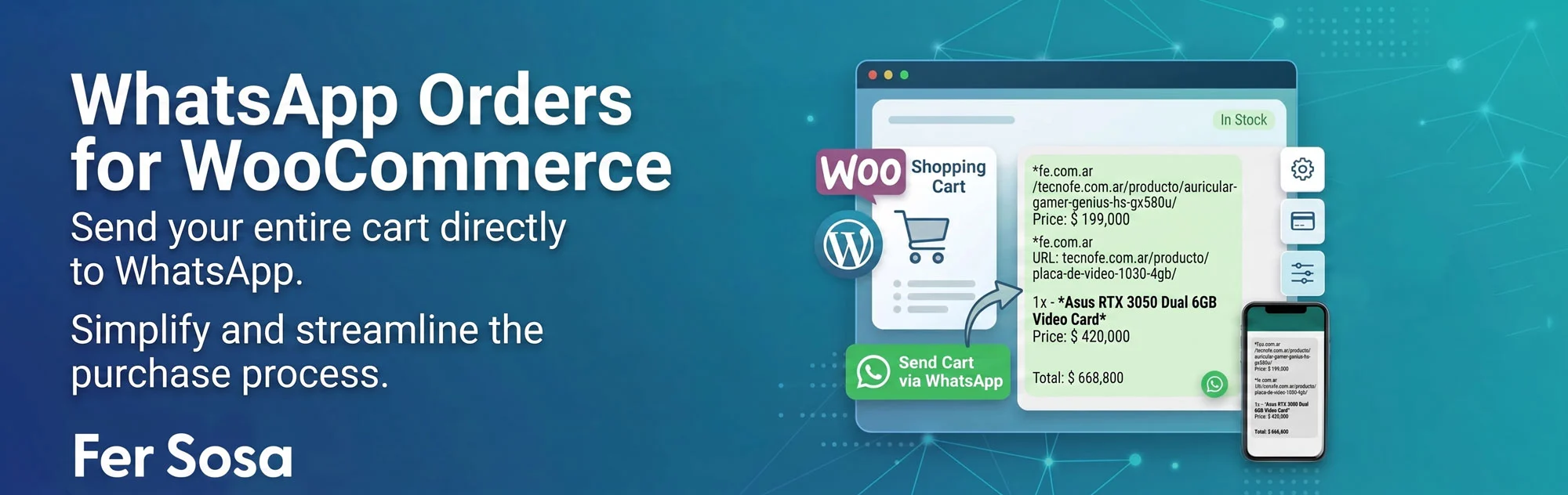
This plugin allows customers to send their order (cart) to WhatsApp with just one click. It’s a convenient and organized way to process orders, and it can be added to both the shopping cart and the checkout.
Key Features
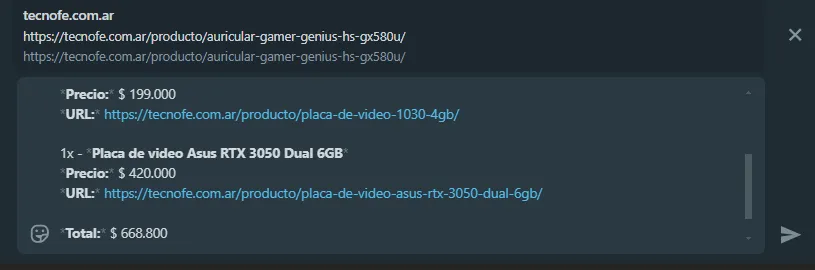
✅ Send the complete cart (order, price, URL, and total) to WhatsApp.
✅ Add a button in the cart or checkout to redirect the customer to WhatsApp.
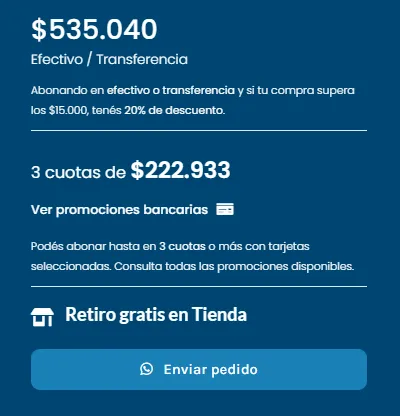
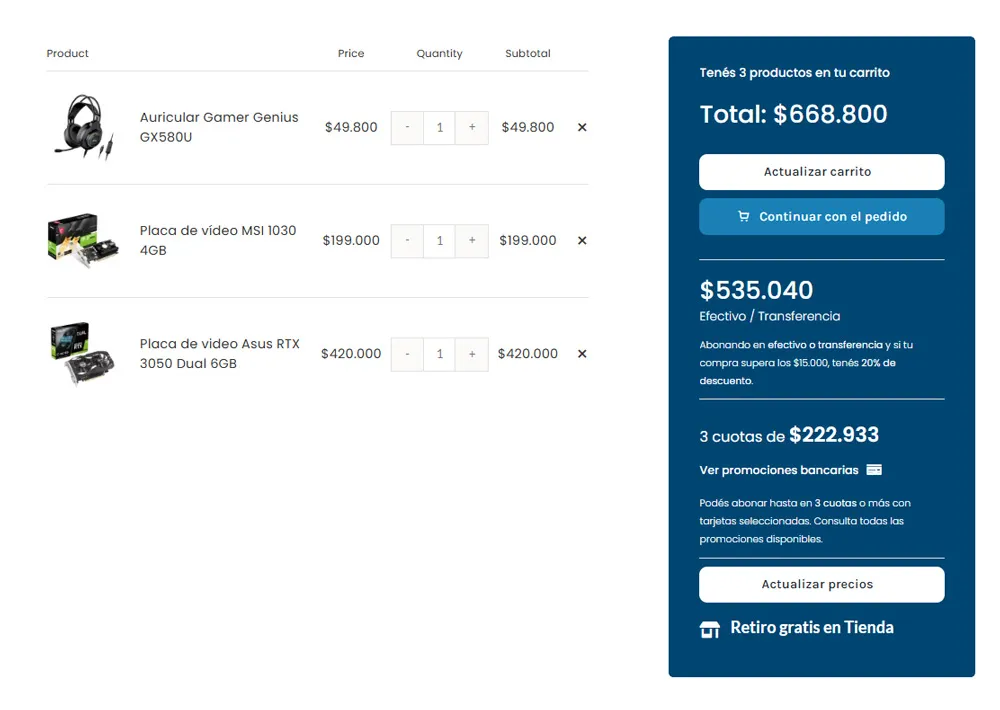
✅ Display prices and installments with discounts through shortcodes in the cart and checkout.
✅ Total customization of the WhatsApp message, including initial and final message.
✅ Simple configuration from the backend.
How It Works
This plugin allows customers to send their cart through WhatsApp directly, with all order details, including total price and installments.
How to Use It
1️⃣ Add the Button to Your Site
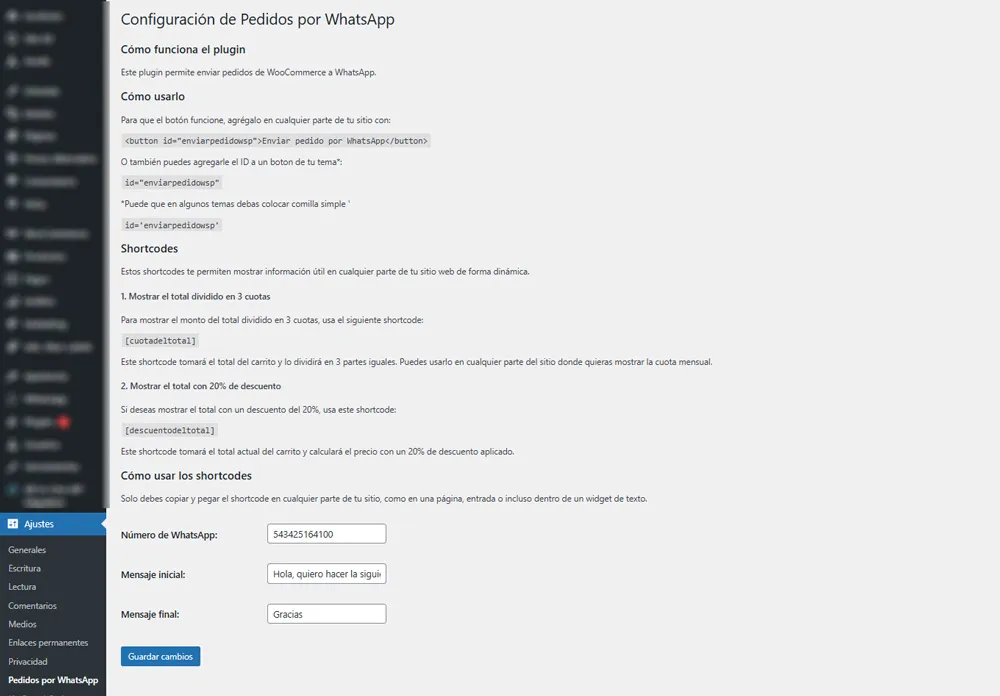
You can place the button anywhere on your site with the following code:
<button id="enviarpedidowsp">Send order by WhatsApp</button>
Or you can also add the ID to a button in your theme:
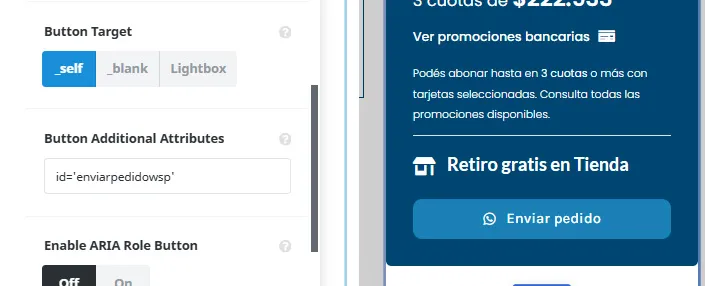
id="enviarpedidowsp"
(Note: Some themes require the use of single quotes: id='enviarpedidowsp')
2️⃣ Customize the Messages
In the plugin settings in the backend, you can add the WhatsApp number to which the orders will be sent, as well as customize the initial and final WhatsApp messages.
3️⃣ Available Shortcodes
You can use the following shortcodes in the cart and checkout to display useful information about the order:
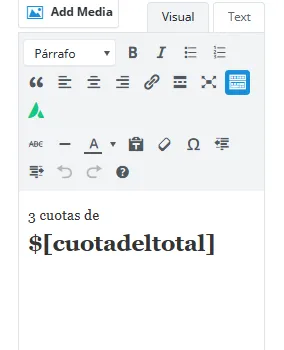
1. Display the total divided into 3 installments:
[cuotadeltotal]
This shortcode divides the cart total into 3 equal parts and displays the amount of each installment.
2. Display the total with a 20% discount:
[descuentodeltotal]
This shortcode calculates the cart total with a 20% discount applied and displays it in the frontend.
How to Use the Shortcodes
You just need to copy and paste the shortcode anywhere on your site, such as a page, post, or even within a text widget. The shortcodes will automatically update with your cart total.
Screenshots
🔹 Plugin Backend Configuration
🔹 Order send button in the cart and checkout
🔹 Message sent via WhatsApp
🔹 Using the price shortcode
🔹 Complete cart view
🔹 Using the button ID
Compatibility
✔️ Works correctly in the latest versions of WooCommerce and WordPress.
✔️ Plugin tested and fully functional.
Support and Contact
If you have any questions or need help, you can report it on fersosa.com. You can also leave comments and suggestions on the website.
Update Log (Changelog)
v1.2.2 – Important Fixes
Critical Fixes
- Fixed: The button wasn’t actually calling the backend (the AJAX call was missing in script.js), so the request was never generated.
- Fixed: `web.whatsapp.com` was replaced with `wa.me`, which works in both the WhatsApp app (mobile) and WhatsApp Web (desktop).
- Security: Nonce verification was added to the AJAX request.
- Security: `sanitize_callback` was added to all saved options (number, messages, installments, discount).
- Fixed: Duplicate `pw_message_start` / `pw_message_end` records were removed.
- Fixed: The total is no longer calculated by parsing The HTML is formatted; the raw numeric value from WooCommerce (`get_total(‘edit’)`) is used, avoiding errors based on currency/format.
- Improvement: A warning is added if WooCommerce is not active, instead of a fatal error.
New features
- The number of installments and the discount percentage are now configurable from the panel (previously they were fixed at 3 and 20%).
- A warning appears in the settings panel if a WhatsApp number has not yet been uploaded.
v1.2.1
Bug Fixes:
– Fixed a bug where clicking the button would not work properly after updating WordPress.
v1.2.0
New Features:
– WhatsApp Number Configuration: Users can now modify the phone number from the backend.
– Message Customization: Option added to edit both the initial message and the final message from the plugin settings.
– Number Formatting: Prices and totals are now displayed with thousand separators (e.g., 1,000 instead of 1000).
Fixes:
– Fixed: WhatsApp number is now saved correctly in the settings.
– Fixed: Initial and final messages are now correctly reflected in the order.
v1.1.2 – Functionality and Link Improvements
Improvements:
– Added a link in the WordPress plugin list that directly leads to the plugin settings.
– Added a help section in the settings explaining how the plugin works and how to add the button anywhere on the site.
– The plugin now automatically recognizes links with href="#enviarpedidowsp" and sends the order to WhatsApp. (Note: In some cases, it’s necessary to add id="enviarpedidowsp" for it to work correctly).
Fixes:
– Fixed: Subtotal removed from the WhatsApp message, showing only the final total.
– Fixed: Total format optimized to exclude unnecessary HTML tags.
v1.1.1 – Price and Total Format Fix
Fixes:
– Fixed: Product prices now correctly display in WhatsApp without HTML tags.
– Fixed: Order total now appears in the correct format without display errors.
v1.1.0 – Backend Settings Implementation
New Features:
– Added a backend settings page that allows editing the initial and final order messages.
Fixes:
– Fixed: Messages configured in the backend are now correctly reflected in the WhatsApp message.
v1.0.2 – WhatsApp Message Generation Fixes
Fixes:
– Fixed: WhatsApp message now correctly includes products, quantities, and prices.
– Fixed: Issue with HTML tags in prices removed.
v1.0.1 – Compatibility and Button Improvements
Improvements:
– Button compatibility with various WordPress themes optimized.
– Option to use id="enviarpedidowsp" on any button on the site to send the order to WhatsApp added.
v1.0.0 – First Stable Version
Main Features:
– Automatic generation of a WhatsApp link with cart products and order total.
– Compatible with WooCommerce.
– Allows adding a button with the code <button id="enviarpedidowsp">Send order by WhatsApp</button>.
– Support for adding the ID to other template buttons.
Share
Version: 1.2.2
Languages: Spanish
Developer: Fer Sosa